

New Stock Options mobile app SP Trader Pro HD (Android / iOS) - provide faster platform for Stock Options trading.
Product Introduction
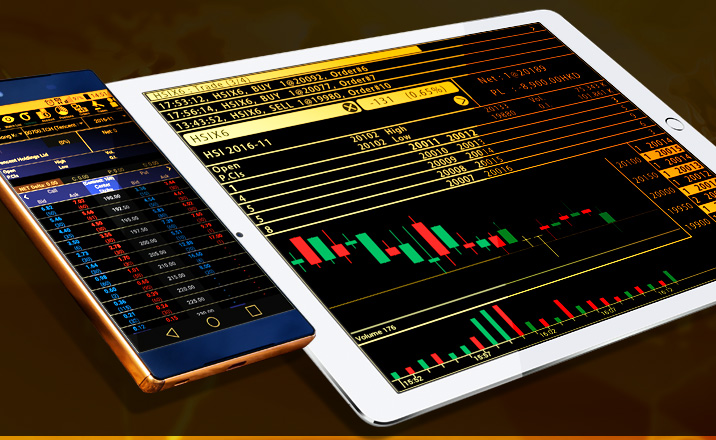
SP Trader Pro HD support products trading in SP Trader (Stock Options) (desktop version).
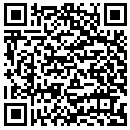
| 1. Download and Login : |
|
|
|

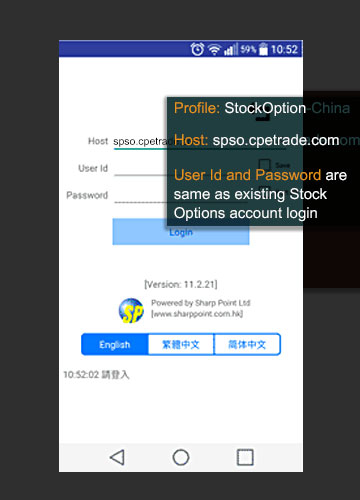
Login Procedure

|
|---|
|
SP Trader Pro HD is developed by Sharppoint, it only supports some of mobile devices and tablets, Sharppoint does not guarantee the app can be compatible with all mobile devices and tablets.
| 2. Features and user manual: |
- Stock options trading
- Account balance
- Order status
- Transaction details
- Products search
- Watchlist
- Intra-day chart
- Order type (Today、FAK、FOK、GTC、AO)
- Connection Status
- Change Password
| 3. Function comparison between PC version and Mobile version |
SP Trader (PC version) & SP Trader Pro HD (mobile app) functions comparison:
| Conditional order |
SPTrader (PC version) |
SP Trader Pro HD (mobile app) |
|---|---|---|
| Normal | ✓ | ✓ |
| Enhance stop | ✓ | ✓ |
| OCO | ✓ | ✓ |
| Bull & Bear | ✓ | ✓ |
| Time to send | ✓ | ✕ |
| Today | ✓ | ✓ |
| FAK | ✓ | ✓ |
| FOK | ✓ | ✓ |
| GTC | ✓ | ✓ |
| Date order | ✓ | ✓ |
| Stop limit | ✓ | ✓ |
| Stop market | ✓ | ✓ |
| Join buy / sell | ✓ | ✓ |
| Hit buy/sell | ✓ | ✓ |
|
|
||
| Change password | ✓ | ✓ |
| Connection status | ✓ | ✓ |
| General preference | ✓ | ✓ |
| Price Alert | ✓ | ✕ |
| Order confirmation | ✓ | ✕ |
Note:
•Cannot login PC version and mobile app at the same time,you have to logout from one device first.
•This app does not include data transmission fee – Mobile services provider or mobile services plan may charge data transmission fee,please check with mobile services provider
•Please be reminded of the impact on mobile data usage when you are using SP Trader Pro HD
•When you are using SP Trader Pro HD, you should pay attention when the connection is unstable, you may not be able to access updated transaction and/or market condition. Please make sure your device is in good connection status. If you have any doubt about transaction or market data, please contact your designated Account Executive.
•To ensure the system safety, our system’s data is encrypted. We recommend you to lock device if you are not using it. Besides, since touch screen device is sensitive, to avoid error, please input carefully and verify the information.
•Cannot login PC version and mobile app at the same time,you have to logout from one device first.
•This app does not include data transmission fee – Mobile services provider or mobile services plan may charge data transmission fee,please check with mobile services provider
•Please be reminded of the impact on mobile data usage when you are using SP Trader Pro HD
•When you are using SP Trader Pro HD, you should pay attention when the connection is unstable, you may not be able to access updated transaction and/or market condition. Please make sure your device is in good connection status. If you have any doubt about transaction or market data, please contact your designated Account Executive.
•To ensure the system safety, our system’s data is encrypted. We recommend you to lock device if you are not using it. Besides, since touch screen device is sensitive, to avoid error, please input carefully and verify the information.